---
title: 4957(F) Windows Firewall did not apply the following rule. (Windows 10)
description: Describes security event 4957(F) Windows Firewall did not apply the following rule.
ms.pagetype: security
ms.prod: w10
ms.mktglfcycl: deploy
ms.sitesec: library
ms.localizationpriority: none
author: dansimp
ms.date: 04/19/2017
ms.reviewer:
manager: dansimp
ms.author: dansimp
---
# 4957(F): Windows Firewall did not apply the following rule.
**Applies to**
- Windows 10
- Windows Server 2016
 ***Subcategory:*** [Audit MPSSVC Rule-Level Policy Change](audit-mpssvc-rule-level-policy-change.md)
***Event Description:***
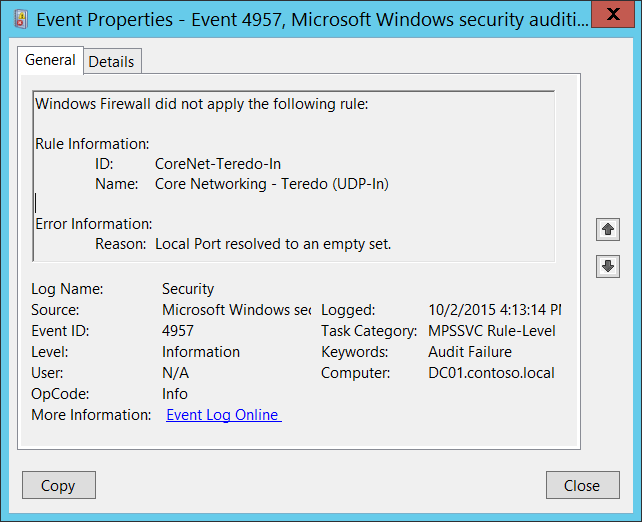
This event generates when Windows Firewall starts or apply new rule, and the rule cannot be applied for some reason.
> **Note** For recommendations, see [Security Monitoring Recommendations](#security-monitoring-recommendations) for this event.
***Subcategory:*** [Audit MPSSVC Rule-Level Policy Change](audit-mpssvc-rule-level-policy-change.md)
***Event Description:***
This event generates when Windows Firewall starts or apply new rule, and the rule cannot be applied for some reason.
> **Note** For recommendations, see [Security Monitoring Recommendations](#security-monitoring-recommendations) for this event.
***Event XML:***
```
-
-
4957
0
0
13571
0
0x8010000000000000
1049892
Security
DC01.contoso.local
-
CoreNet-Teredo-In
Core Networking - Teredo (UDP-In)
Local Port
```
***Required Server Roles:*** None.
***Minimum OS Version:*** Windows Server 2008, Windows Vista.
***Event Versions:*** 0.
***Field Descriptions:***
**Rule Information:**
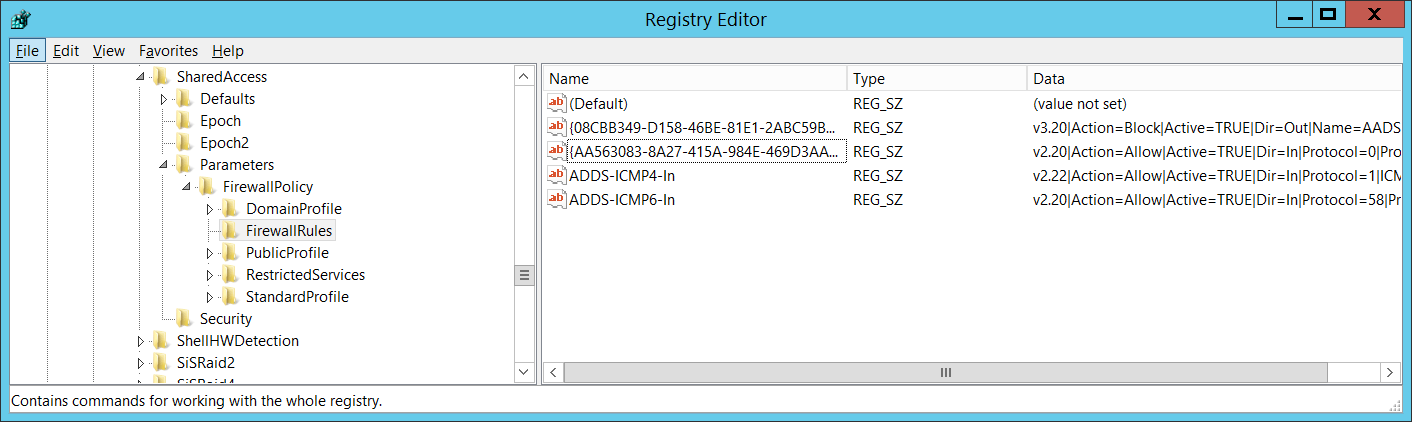
- **ID** \[Type = UnicodeString\]: the unique identifier for not applied firewall rule.
To see the unique ID of the rule you need to navigate to “**HKEY\_LOCAL\_MACHINE\\SYSTEM\\CurrentControlSet\\Services\\SharedAccess\\Parameters\\FirewallPolicy\\FirewallRules”** registry key and you will see the list of Windows Firewall rule IDs (Name column) with parameters:
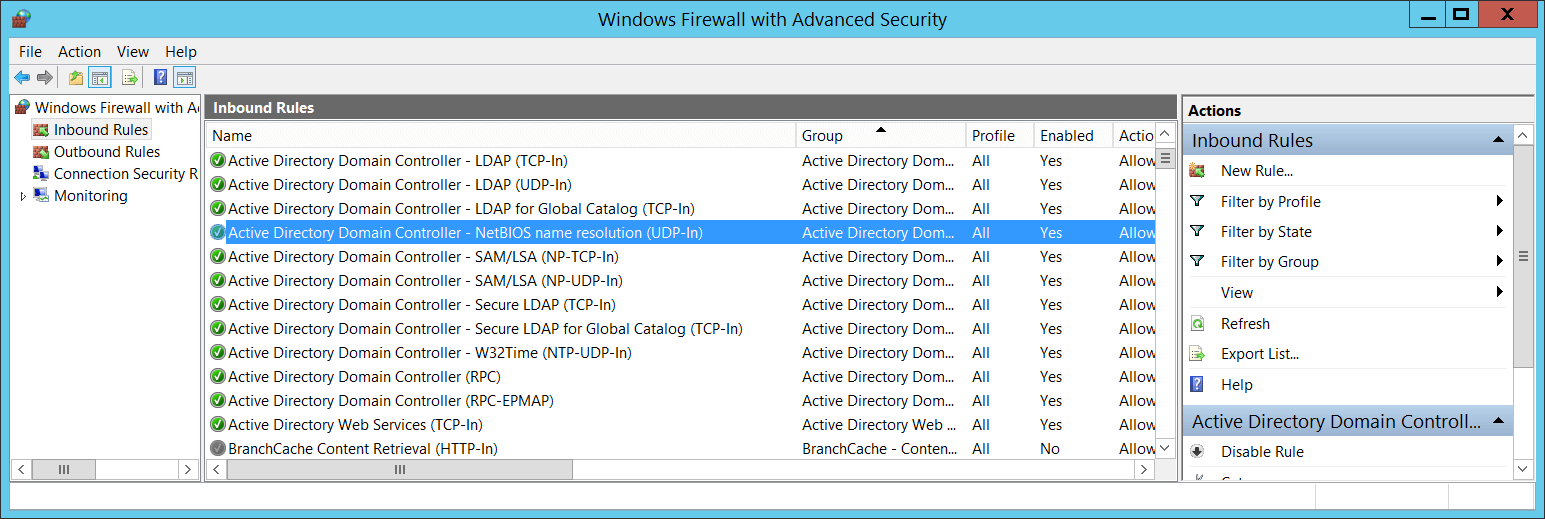
 - **Name** \[Type = UnicodeString\]: the name of the rule which was not applied. You can see the name of Windows Firewall rule using Windows Firewall with Advanced Security management console (**wf.msc**), check “Name” column:
 **Error Information:**
- **Reason** \[Type = UnicodeString\]: the reason why the rule was not applied.
## Security Monitoring Recommendations
For 4957(F): Windows Firewall did not apply the following rule.
- This event can be a sign of software issues, Windows Firewall registry errors or corruption, or Group Policy setting misconfigurations. We recommend monitoring this event and investigating the reason for the condition. Typically this event indicates configuration issues, not security issues.
**Error Information:**
- **Reason** \[Type = UnicodeString\]: the reason why the rule was not applied.
## Security Monitoring Recommendations
For 4957(F): Windows Firewall did not apply the following rule.
- This event can be a sign of software issues, Windows Firewall registry errors or corruption, or Group Policy setting misconfigurations. We recommend monitoring this event and investigating the reason for the condition. Typically this event indicates configuration issues, not security issues.