---
title: 5024(S) The Windows Firewall Service has started successfully. (Windows 10)
description: Describes security event 5024(S) The Windows Firewall Service has started successfully.
ms.pagetype: security
ms.prod: w10
ms.mktglfcycl: deploy
ms.sitesec: library
ms.localizationpriority: none
author: dansimp
ms.date: 04/19/2017
ms.reviewer:
manager: dansimp
ms.author: dansimp
---
# 5024(S): The Windows Firewall Service has started successfully.
**Applies to**
- Windows 10
- Windows Server 2016
 ***Subcategory:*** [Audit Other System Events](audit-other-system-events.md)
***Event Description:***
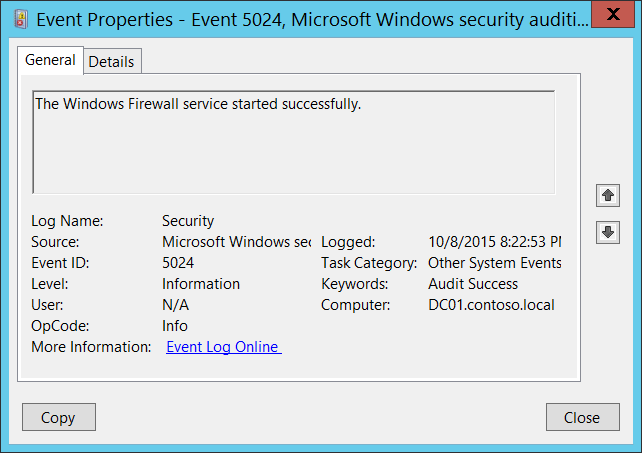
This event generates when Windows Firewall (MpsSvc) service has started successfully.
This event is typically logged during operating system startup process.
> **Note** For recommendations, see [Security Monitoring Recommendations](#security-monitoring-recommendations) for this event.
***Subcategory:*** [Audit Other System Events](audit-other-system-events.md)
***Event Description:***
This event generates when Windows Firewall (MpsSvc) service has started successfully.
This event is typically logged during operating system startup process.
> **Note** For recommendations, see [Security Monitoring Recommendations](#security-monitoring-recommendations) for this event.
***Event XML:***
```
-
-
5024
0
0
12292
0
0x8020000000000000
1101613
Security
DC01.contoso.local
```
***Required Server Roles:*** None.
***Minimum OS Version:*** Windows Server 2008, Windows Vista.
***Event Versions:*** 0.
## Security Monitoring Recommendations
For 5024(S): The Windows Firewall Service has started successfully.
- Typically this event has an informational purpose. It’s logged during operating system startup process.
- You should not see this event after system startup, so we recommend that you monitor it when it occurs outside the system startup process.