---
title: Increase compliance to the Microsoft Defender ATP security baseline
description: The Microsoft Defender ATP security baseline sets Microsoft Defender ATP security controls to provide optimal protection.
keywords: Intune management, MDATP, WDATP, Microsoft Defender, Windows Defender, advanced threat protection ASR, security baseline
search.product: eADQiWindows 10XVcnh
search.appverid: met150
ms.prod: w10
ms.mktglfcycl: deploy
ms.sitesec: library
ms.pagetype: security
ms.author: lomayor
author: lomayor
ms.localizationpriority: medium
manager: dansimp
audience: ITPro
ms.collection: M365-security-compliance
ms.topic: article
---
# Increase compliance to the Microsoft Defender ATP security baseline
**Applies to:**
- [Microsoft Defender Advanced Threat Protection (Microsoft Defender ATP)](https://go.microsoft.com/fwlink/p/?linkid=2069559)
>Want to experience Microsoft Defender ATP? [Sign up for a free trial.](https://www.microsoft.com/microsoft-365/windows/microsoft-defender-atp?ocid=docs-wdatp-onboardconfigure-abovefoldlink)
Security baselines ensure that security features are configured according to guidance from both security experts and expert Windows system administrators. When deployed, the Microsoft Defender ATP security baseline sets Microsoft Defender ATP security controls to provide optimal protection.
To understand security baselines and how they are assigned on Intune using configuration profiles, [read this FAQ](https://docs.microsoft.com/intune/security-baselines#q--a).
Before you can deploy and track compliance to security baselines:
- [Enroll your machines to Intune management](configure-machines.md#enroll-machines-to-intune-management)
- [Ensure you have the necessary permissions](configure-machines.md#obtain-required-permissions)
## Compare the Microsoft Defender ATP and the Windows Intune security baselines
The Windows Intune security baseline provides a comprehensive set of recommended settings needed to securely configure machines running Windows, including browser settings, PowerShell settings, as well as settings for some security features like Windows Defender Antivirus. In contrast, the Microsoft Defender ATP baseline provides settings that optimize all the security controls in the Microsoft Defender ATP stack, including settings for endpoint detection and response (EDR) as well as settings also found in the Windows Intune security baseline. For more information about each baseline, see:
- [Windows security baseline settings for Intune](https://docs.microsoft.com/intune/security-baseline-settings-windows)
- [Microsoft Defender ATP baseline settings for Intune](https://docs.microsoft.com/intune/security-baseline-settings-defender-atp)
Both baselines are maintained so that they complement one another and have identical values for shared settings. Deploying both baselines to the same machine will not result in conflicts. Ideally, machines onboarded to Microsoft Defender ATP are deployed both baselines: the Windows Intune security baseline to initially secure Windows and then the Microsoft Defender ATP security baseline layered on top to optimally configure the Microsoft Defender ATP security controls.
>[!NOTE]
>The Microsoft Defender ATP security baseline has been optimized for physical devices and is currently not recommended for use on virtual machines (VMs) or VDI endpoints. Certain baseline settings can impact remote interactive sessions on virtualized environments.
## Monitor compliance to the Microsoft Defender ATP security baseline
The **Security baseline** card on [machine configuration management](configure-machines.md) provides an overview of compliance across Windows 10 machines that have been assigned the Microsoft Defender ATP security baseline.
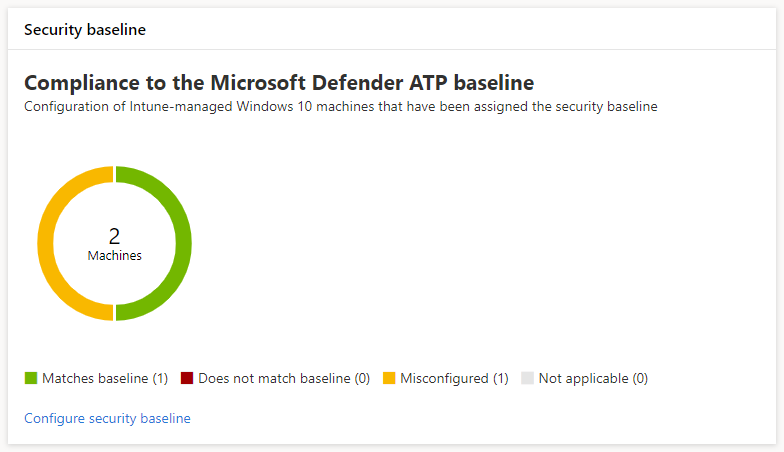
*Card showing compliance to the Microsoft Defender ATP security baseline*
Each machine is given one of the following status types:
- **Matches baseline**—machine settings match all the settings in the baseline
- **Does not match baseline**—at least one machine setting doesn't match the baseline
- **Misconfigured**—at least one baseline setting isn't properly configured on the machine and is in a conflict, error, or pending state
- **Not applicable**—At least one baseline setting isn't applicable on the machine
To review specific machines, select **Configure security baseline** on the card. This takes you to Intune device management. From there, select **Device status** for the names and statuses of the machines.
>[!NOTE]
>You might experience discrepancies in aggregated data displayed on the machine configuration management page and those displayed on overview screens in Intune.
## Review and assign the Microsoft Defender ATP security baseline
Machine configuration management monitors baseline compliance only of Windows 10 machines that have been specifically assigned the Microsoft Defender ATP security baseline. You can conveniently review the baseline and assign it to machines on Intune device management.
1. Select **Configure security baseline** on the **Security baseline** card to go to Intune device management. A similar overview of baseline compliance is displayed.
>[!TIP]
> Alternatively, you can navigate to the Microsoft Defender ATP security baseline in the Microsoft Azure portal from **All services > Intune > Device security > Security baselines > Microsoft Defender ATP baseline**.
2. Create a new profile.
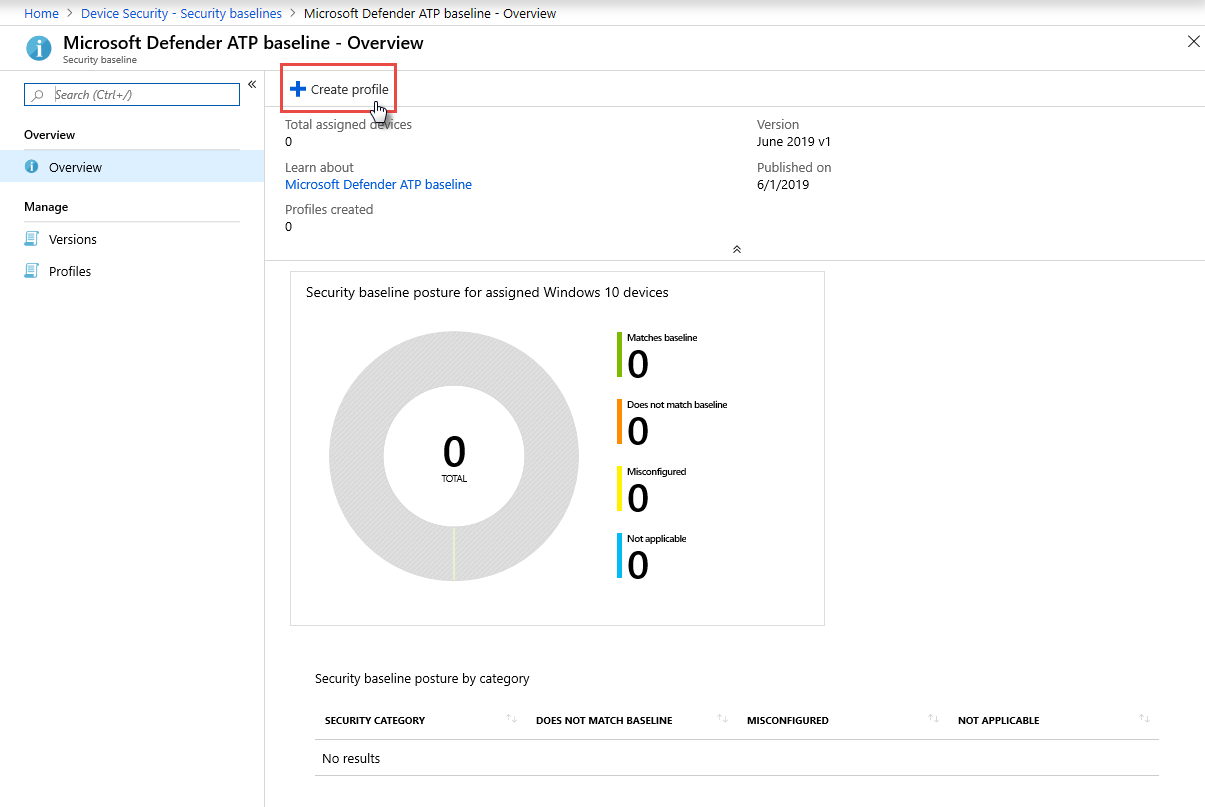
*Microsoft Defender ATP security baseline overview on Intune*
3. During profile creation, you can review and adjust specific settings on the baseline.
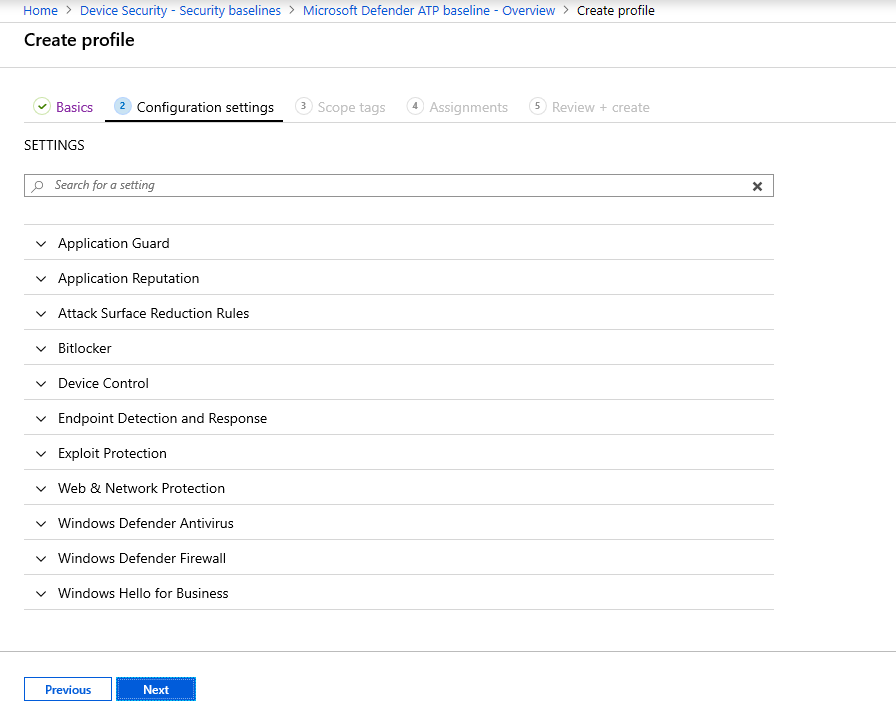
*Security baseline options during profile creation on Intune*
4. Assign the profile to the appropriate machine group.
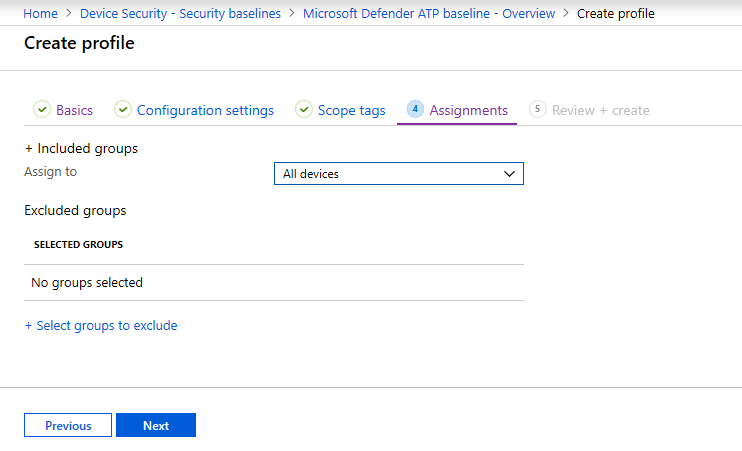
*Assigning the security baseline profile on Intune*
5. Create the profile to save it and deploy it to the assigned machine group.
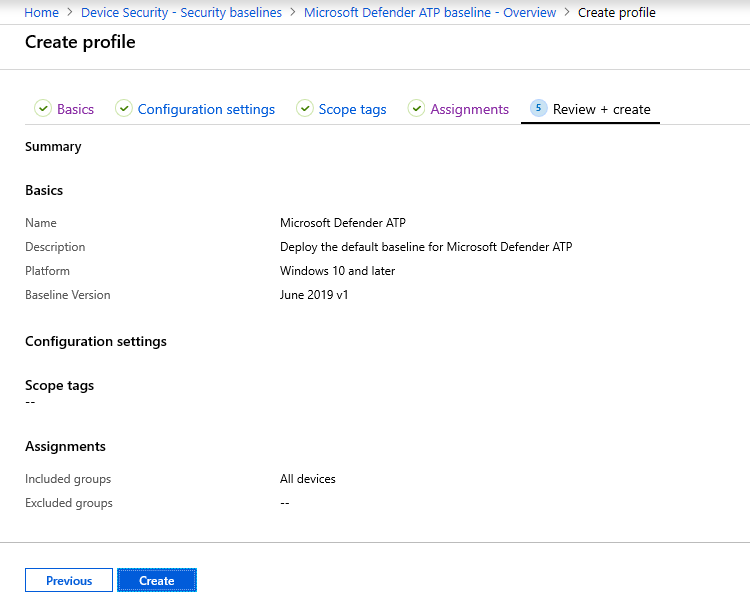
*Creating the security baseline profile on Intune*
>[!TIP]
>Security baselines on Intune provide a convenient way to comprehensively secure and protect your machines. [Learn more about security baselines on Intune](https://docs.microsoft.com/intune/security-baselines).
>Want to experience Microsoft Defender ATP? [Sign up for a free trial.](https://www.microsoft.com/microsoft-365/windows/microsoft-defender-atp?ocid=docs-wdatp-onboardconfigure-belowfoldlink)
# Related topics
- [Ensure your machines are configured properly](configure-machines.md)
- [Get machines onboarded to Microsoft Defender ATP](configure-machines-onboarding.md)
- [Optimize ASR rule deployment and detections](configure-machines-asr.md)