
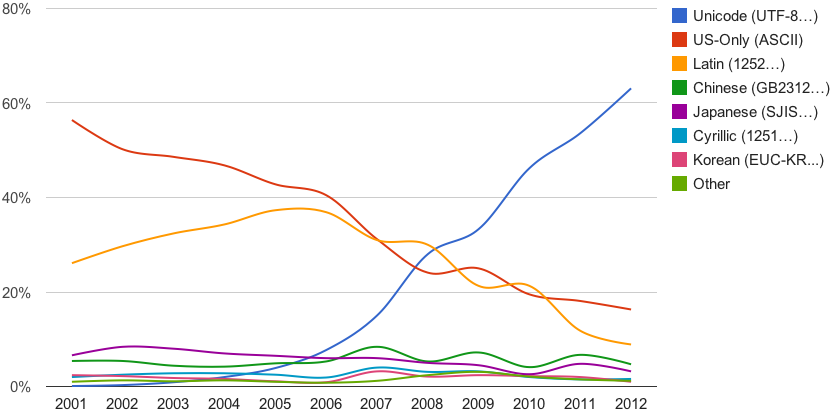
I recently realized that by default Nginx sets the text/markdown mime type to the iso-8859-1 character set. It took me many hours to figure it out, but this post will show you how you can set any mime type to use any available charset you like (common charsets are UTF-8, iso-8859-1, and Windows-1251). This post is actually novel as I did not find this information anywhere on the internet. Most of what I read recommended creating a location capturing the file extension, clearing the types and forcing the mime type on the default_type directive. I recommend doing it a cleaner way, the right way.
For example, say you would like to display the text/markdown mime type with the UTF-8 charset. You can either modify/add your /etc/nginx/mime.types file like this:
types {
    ...
    "text/markdown; charset=utf-8"        md;
    ...
}
Here is the full mime.types file for reference:
types {
    text/html                             html htm shtml;
    text/css                              css;
    text/xml                              xml;
    image/gif                             gif;
    image/jpeg                            jpeg jpg;
    application/javascript                js;
    application/atom+xml                  atom;
    application/rss+xml                   rss;

    text/mathml                           mml;
    text/plain                            txt sh bat ps1 ini vbs pub sql asc;
    text/vnd.sun.j2me.app-descriptor      jad;
    text/vnd.wap.wml                      wml;
    text/x-component                      htc;
    "text/markdown; charset=utf-8"        md;

    image/png                             png;
    image/tiff                            tif tiff;
    image/vnd.wap.wbmp                    wbmp;
    image/x-icon                          ico;
    image/x-jng                           jng;
    image/x-ms-bmp                        bmp;
    image/svg+xml                         svg svgz;
    image/webp                            webp;

    font/woff                             woff;
    font/woff2                            woff2;
    font/otf                              otf;
    font/ttf                              ttf;
    font/sfnt                             sfnt;

    application/java-archive              jar war ear;
    application/json                      json;
    application/mac-binhex40              hqx;
    application/msword                    doc;
    application/pdf                       pdf;
    application/postscript                ps eps ai;
    application/rtf                       rtf;
    application/vnd.apple.mpegurl         m3u8;
    application/vnd.ms-excel              xls;
    application/vnd.ms-fontobject         eot;
    application/vnd.ms-powerpoint         ppt;
    application/vnd.wap.wmlc              wmlc;
    application/vnd.google-earth.kml+xml  kml;
    application/vnd.google-earth.kmz      kmz;
    application/x-7z-compressed           7z;
    application/x-cocoa                   cco;
    application/x-java-archive-diff       jardiff;
    application/x-java-jnlp-file          jnlp;
    application/x-makeself                run;
    application/x-perl                    pl pm;
    application/x-pilot                   prc pdb;
    application/x-rar-compressed          rar;
    application/x-redhat-package-manager  rpm;
    application/x-sea                     sea;
    application/x-shockwave-flash         swf;
    application/x-stuffit                 sit;
    application/x-tcl                     tcl tk;
    application/x-x509-ca-cert            der pem crt;
    application/x-xpinstall               xpi;
    application/xhtml+xml                 xhtml;
    application/xspf+xml                  xspf;
    application/zip                       zip;

    application/octet-stream              bin exe dll;
    application/octet-stream              deb;
    application/octet-stream              dmg;
    application/octet-stream              iso img;
    application/octet-stream              msi msp msm;

    application/vnd.openxmlformats-officedocument.wordprocessingml.document    docx;
    application/vnd.openxmlformats-officedocument.spreadsheetml.sheet          xlsx;
    application/vnd.openxmlformats-officedocument.presentationml.presentation  pptx;

    audio/midi                            mid midi kar;
    audio/mpeg                            mp3;
    audio/ogg                             ogg;
    audio/x-m4a                           m4a;
    audio/x-realaudio                     ra;

    video/3gpp                            3gpp 3gp;
    video/mp2t                            ts;
    video/mp4                             mp4;
    video/mpeg                            mpeg mpg;
    video/quicktime                       mov;
    video/webm                            webm;
    video/x-flv                           flv;
    video/x-m4v                           m4v;
    video/x-mng                           mng;
    video/x-ms-asf                        asx asf;
    video/x-ms-wmv                        wmv;
    video/x-msvideo                       avi;
}
Or you could create a location block in your site config file like this:
location ~ \.md$ {
    types { "text/markdown; charset=utf-8" md; }
}
You might think that you can do something like this, but you would be wrong:
location ~ \.md$ {
    override_charset on;
    charset utf-8;
}
Here are some screenshots showing the difference when displaying plain-text files in the browser with different mime types:




In conclusion, the trick is to encapsulate the nginx types directive mime type text/markdown in double quotes, followed by semicolon, followed by charset=utf-8 , followed by double quotes and then the file extension associated with the mime type, followed by semicolon.
If you have any questions/comments regarding this article, click here or scroll down below (login isn't required to post comments and there's no waiting period).
