This video is meant to demonstrate how Cloudflare responds when your website is under attack.
https://www.youtube.com/watch?v=e2ySeyi7NZM
The command used
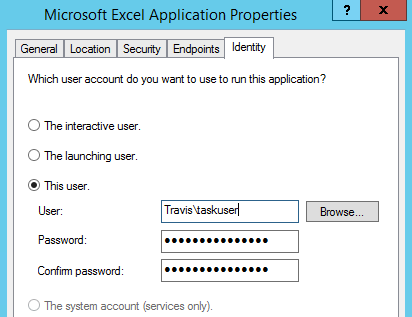
Using the Excel.Application com object in Powershell won’t save a file through the task scheduler for automation. It’s likely a DCOM permissions issue. The only way I’ve found around issues such as this is to set Excel to run as a specific user through DCOM permissions.
SAN Performance Tuning with SQLIO
The SQLIO Disk Subsystem Benchmark Tool was a free utility from Microsoft that measures storage I/O performance and has