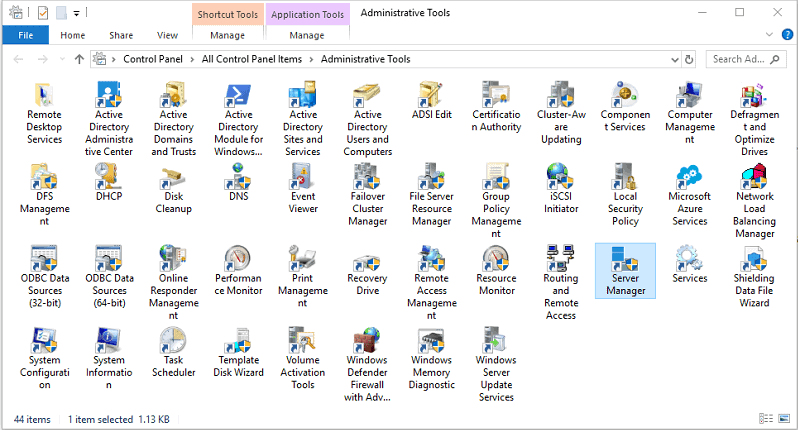
This is a comprehensive list of common MSC shortcuts for various administrative tools and separated for both Windows Client and Windows Server.
📌
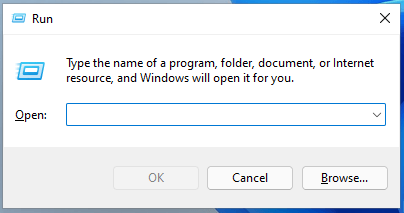
TIP: To use these commands, press
Super+R (Windows Key and the R button) to open the Run dialog, type the command, and press Enter. To run with administrator privileges, press Ctrl+Shift+Enter instead of just Enter in the Run dialog or use an administrator Command Prompt.Administrative Tools for Windows Client
| Command | Administrative Tools Description (Windows Client) |
|---|---|
| azman.msc | Authorization Manager |
| certlm.msc | Certificates (Local Computer) |
| certmgr.msc | Certificates (Current User) |
| ciadv.msc | Indexing Service (older Windows versions) |
| comexp.msc or dcomcnfg | Component Services |
| compmgmt.msc | Computer Management |
| devmgmt.msc | Device Manager |
| devmoderunasuserconfig.msc | Start Menu and Taskbar Group Policy |
| diskmgmt.msc | Disk Management |
| eventvwr.msc | Event Viewer |
| fsmgmt.msc | Shared Folders |
| gpedit.msc | Local Group Policy Editor (not available in Windows Home editions) |
| lusrmgr.msc | Local Users and Groups |
| mmc | Opens an empty Microsoft Management Console instance |
| perfmon.msc | Performance Monitor |
| printmanagement.msc | Print Management |
| rsop.msc | Resultant Set of Policy |
| secpol.msc | Local Security Policy |
| services.msc | Services Manager |
| taskschd.msc | Task Scheduler |
| tpm.msc | Trusted Platform Module (TPM) Management |
| wf.msc | Windows Firewall with Advanced Security |
| wmimgmt.msc | WMI Management |
Administrative Tools for Windows Server
| Command | Administrative Tools Description (Windows Server) |
|---|---|
| adfs.msc | Active Directory Federation Services |
| AdRmsAdmin.msc | Active Directory Rights Management Services |
| adsiedit.msc | ADSI Edit |
| certim.msc | Local Computer Certificates |
| certsrv.msc | Certification Authority |
| certtmpl.msc | Certification Templates |
| ciadv.msc | Indexing Service |
| cluadmin.msc | Failover Cluster Manager |
| da6to4.msc | Network Interfaces Performance Monitor |
| daihttps.msc | HTTPS Traffic Performance Monitor |
| daipsecdos.msc | IPSec Performance Monitor |
| daisatapmsc | ISATAP Performance Monitor |
| dfsmgmt.msc | DFS Management |
| dhcpmgmt.msc | DHCP Management |
| dnsmgmt.msc | DNS Manager |
| domain.msc | Active Directory Domains and Trust |
| dsa.msc | Active Directory Users and Computers. |
| dssite.msc | Active Directory Sites and Services |
| fsrm.msc | File Server Resource Manager |
| fxsadmin.msc | Microsoft Fax Service Manager |
| gpmc.msc | Group Policy Management |
| gpme.msc | Group Policy Mangement Editor |
| gptedit.msc | Group Policy Starter GPO Editor |
| hcscfg.msc | Health Registration Authority |
| idmumgmt.msc | Microsoft Identity Management for Unix |
| iis.msc | Internet Information Services Manager |
| iis6.msc | Internet Information Services Manager 6.0 |
| lsdiag.msc | RD Licensing Diagnoser |
| napclcfg.msc | NAP Client Configuration |
| mfsmgmt.msc | Services for Network File System |
| nps.msc | Network Policy Server |
| ocsp.msc | Online Responder |
| pkiview.msc | Enterprise PKI |
| remoteprograms.msc | RemoteApp Manager |
| rrasmgmt.msc | Routing and Remote Access |
| sanmmc.msc | Storage Manager for SANs |
| sbmgr.msc | Remote Desktop Connection Manager |
| scanmanagement.msc | Scan Management |
| servermanager.msc | Server Manager |
| storagemgmt.msc | Share and Storage Management |
| storexpl.msc | Storage Explorer |
| tapimgmt.msc | Telephony |
| tsadmin.msc | Remote Desktop Services Manager |
| tsconfig.msc | Remote Desktop Session Host Configuration |
| tsgateway.msc | RD Gateway Manager |
| tsmmc.msc | Remote Desktops |
| virtmgmt.msc | Hyper-V Manager |
| wbadmin.msc | Windows Server Backup |
| Wdsmgmt-msc | Windows Deployment Services |
| winsmgmt.msc | WINS |
| wbiadmin.msc | Windows Server Backup |
| wsrm.msc | Windows System Resource Manager |
| wsus.msc | Update Services |
If you have any questions/comments regarding this article, click here or scroll down below (login isn't required to post comments and there's no waiting period).
Windows Run Commands Cheat Sheet
A comprehensive cheat sheet of the most popular Windows Run commands.
 Travis Runyard